Fixed price
Agreed before anything starts. You know the number on day one, and it doesn't move because the work turned out to be harder than we thought. That's our risk, not yours.
Scarborough, UK · Production & warehouse software
Most production and warehouse teams run something critical on a shared spreadsheet, a whiteboard and somebody's memory. We build the missing piece properly, and once. Built by someone who has spent a career on the floor, not just in the system.
The problem
The stock file has a version number in the name, and the live one lives on someone's desktop.
Every number is typed twice, once in the sheet and once in SAP. Friday afternoon is copy-paste afternoon.
Nobody fully trusts it, so everyone keeps their own version. Now there are four versions of the truth.
The moment two people need the same answer at the same time, the spreadsheet has stopped being a tool and started being a liability.
Products
Six tools that already exist. They run on your own machines with nothing to install, and your data is never uploaded. Every screen below is the real application, shown with invented sample data.
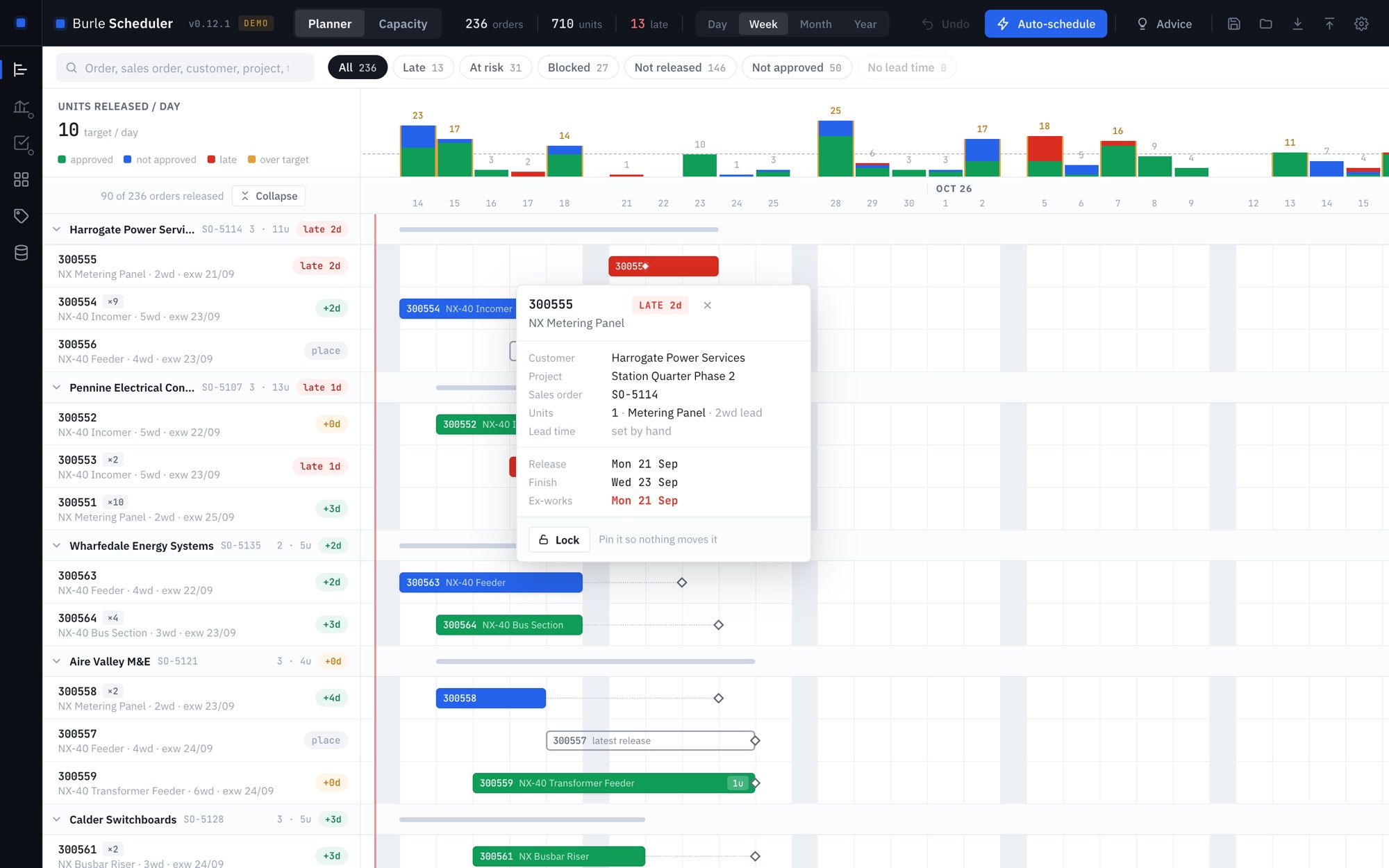
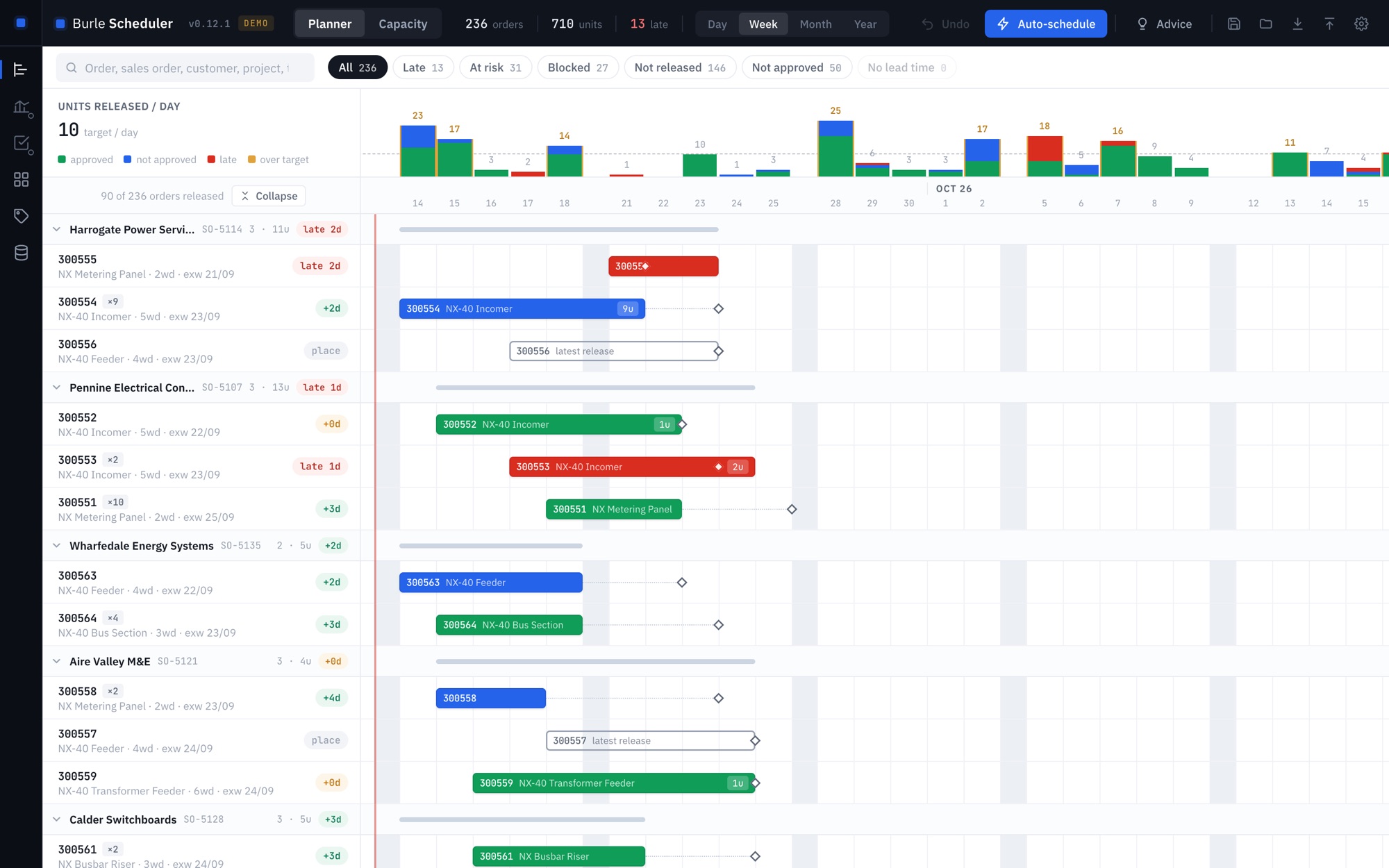
The drag-and-drop board that replaces the spreadsheet beside the ERP. Sequence the order book against a daily target, see what will be late before it is, and hand the dates back in the file you exported.
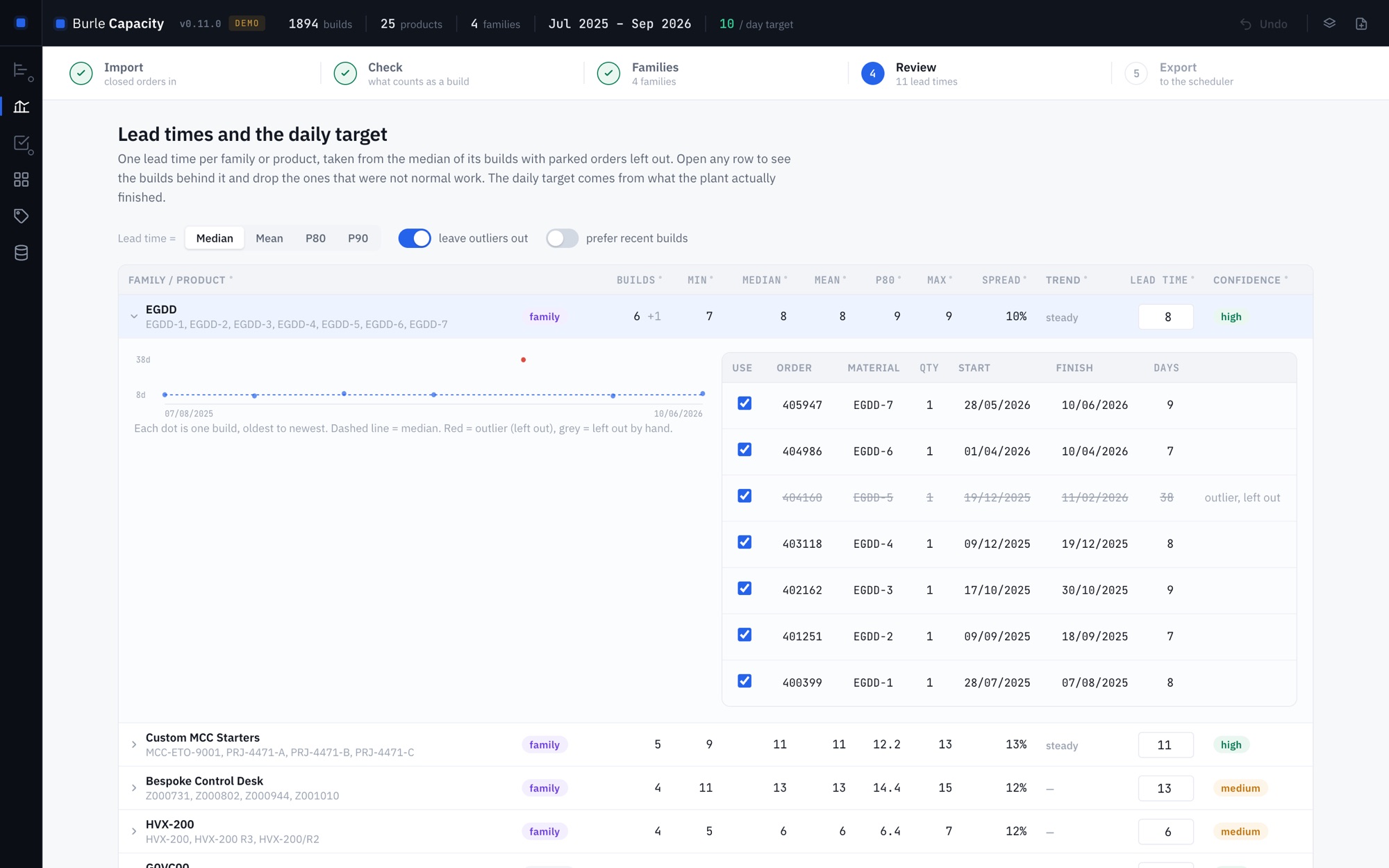
About the Production SchedulerReal lead times from a year of closed production orders, with parked jobs and outliers left out and every figure showing the builds behind it. Engineer-to-order codes are grouped into families automatically.
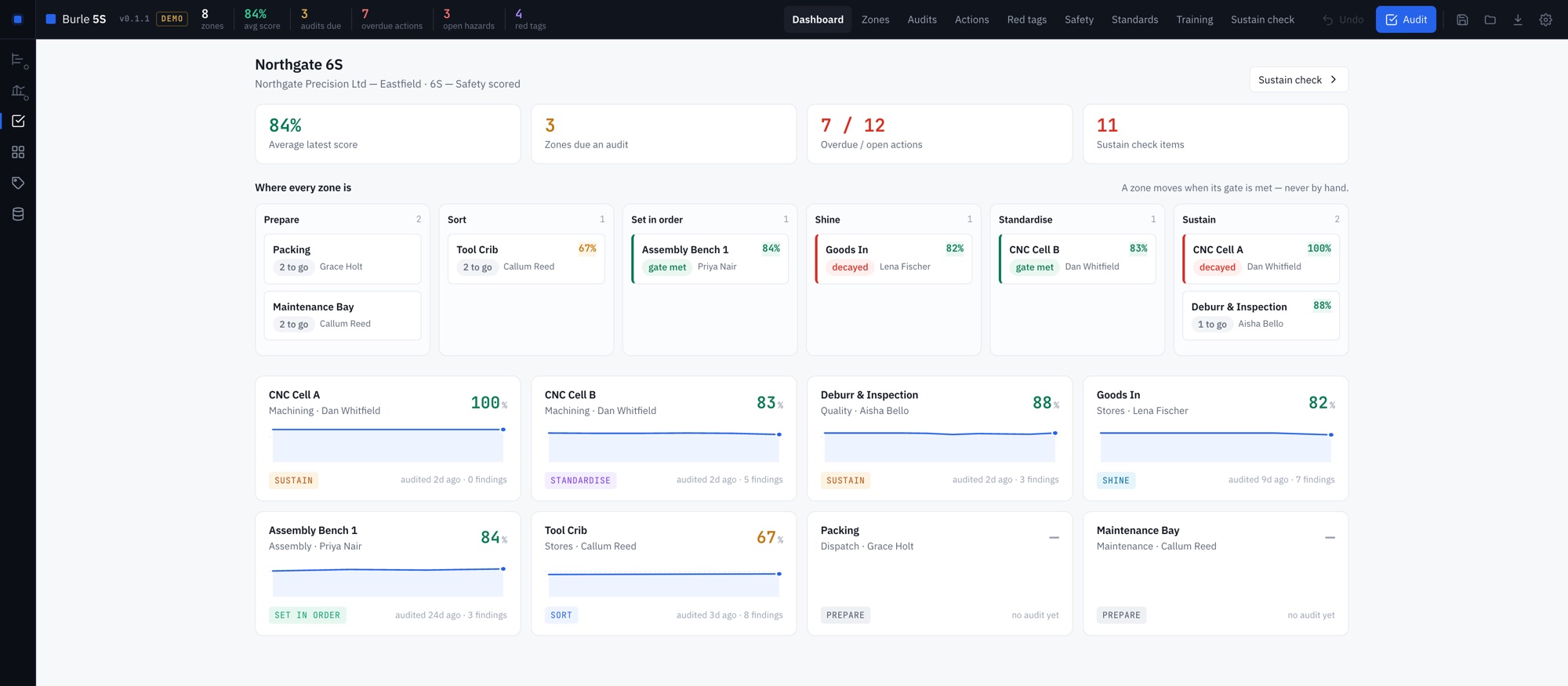
About the Capacity GeneratorImplement 5S from nothing and keep it alive. Zones move phase only when the evidence is there, audits are done on a phone with photos, and the Sustain check shows which zones have quietly stopped.
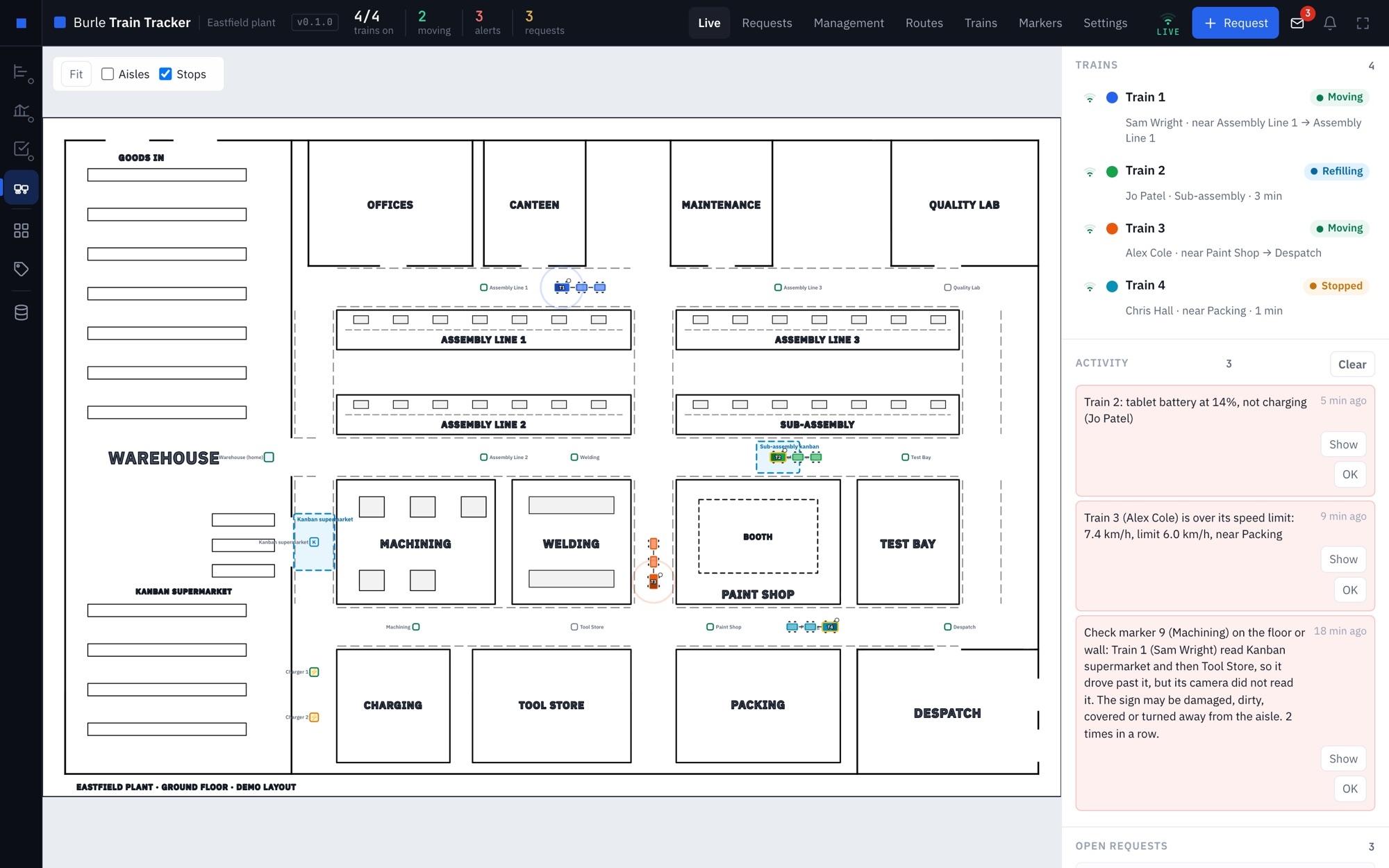
About the 5S ProgrammeEvery tugger train on your own floor plan, live, from printed signs and a tablet on each train, Android or iPad. Routes timed before anyone drives them, alerts worth reading, and a report of where each shift went.
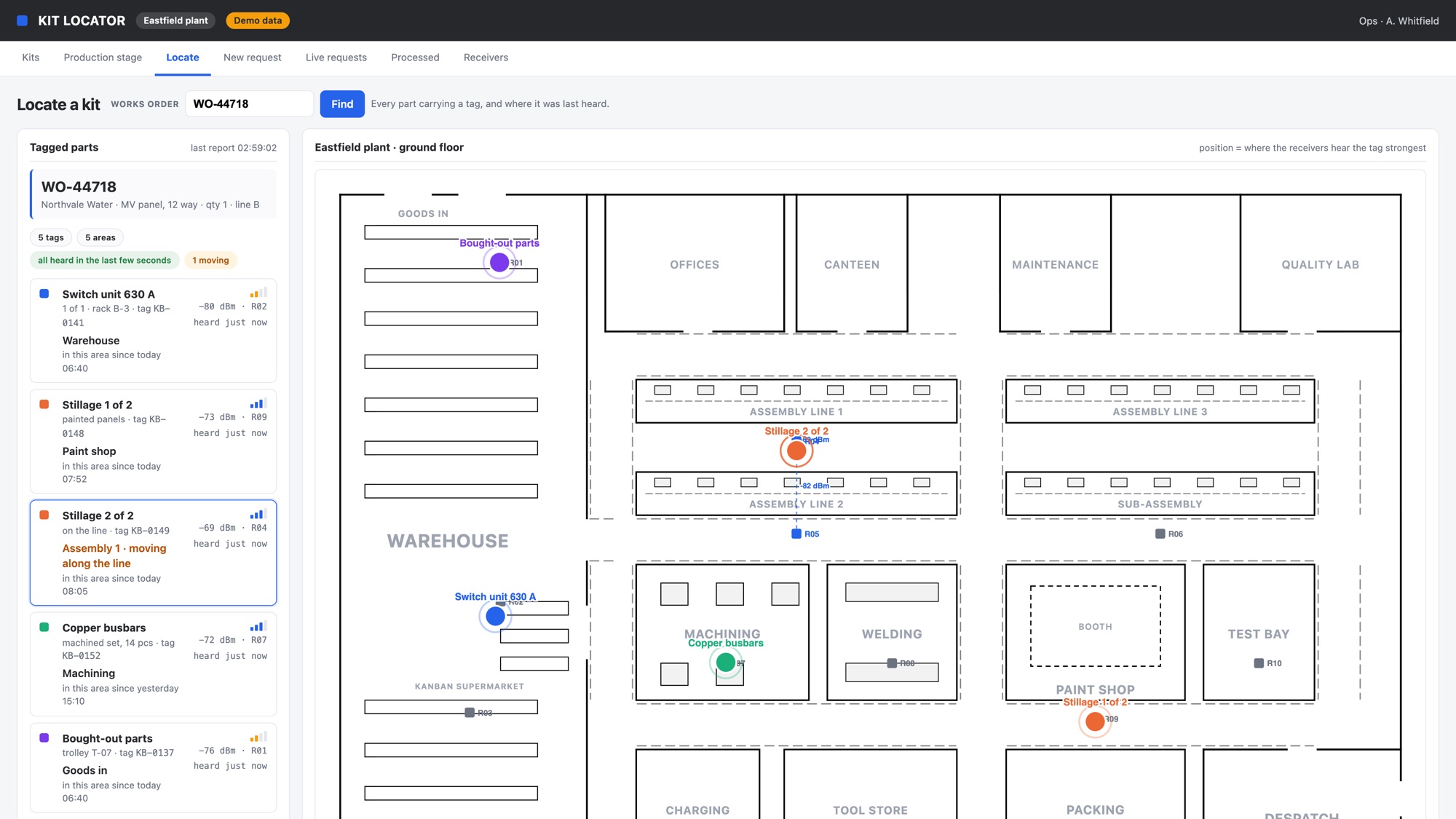
About the Train TrackerWhere is that kit? A small battery tag on the stillage or the trolley, receivers on the wall in each area, and the area it is in on your own floor plan. Nobody has to scan anything for it to stay right.
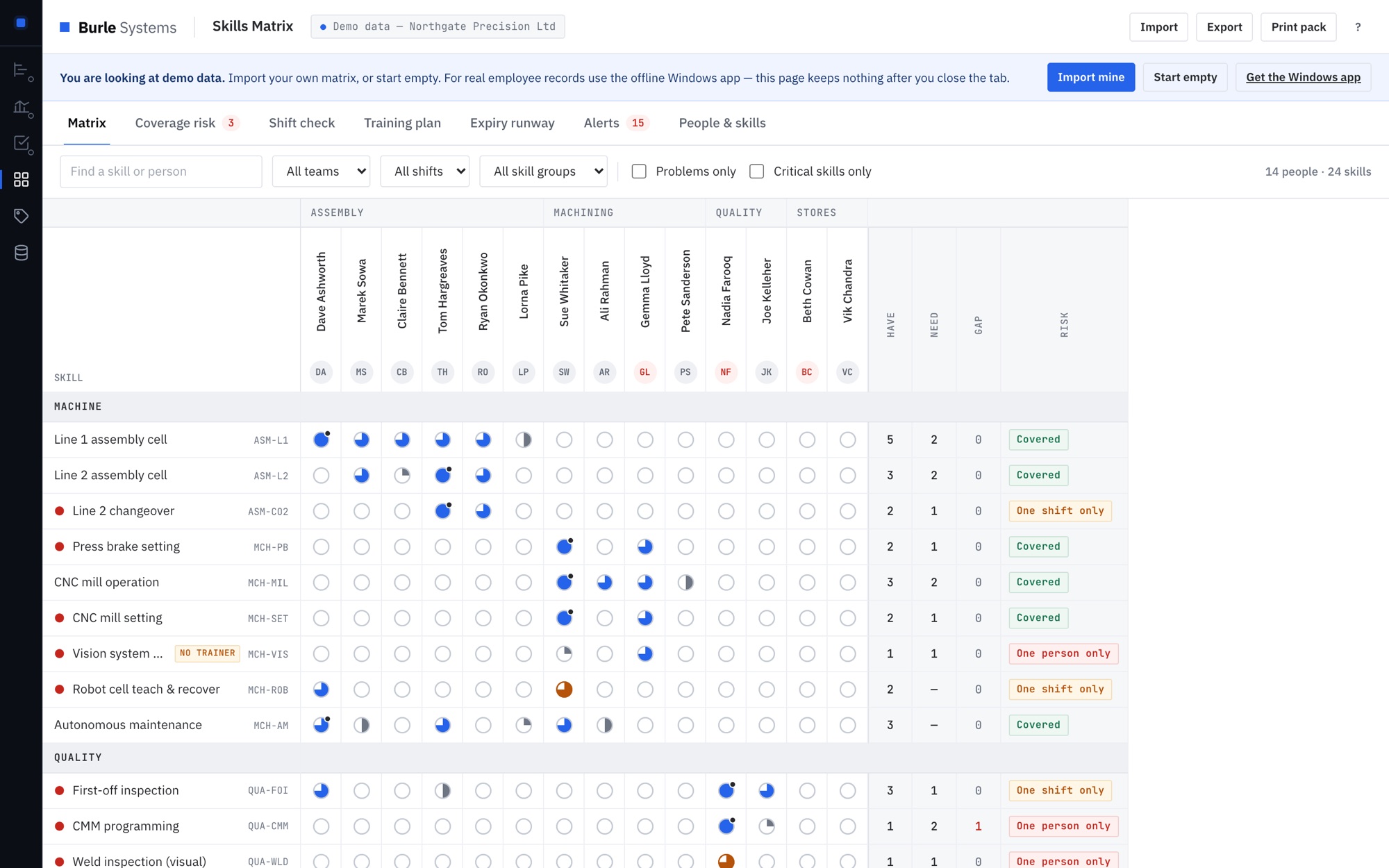
About the Track SystemWho can run what, and what stops if they are off. It flags the skills only one person holds, checks tomorrow's crewing, and ranks training by the risk it removes. Free, in the browser or on Windows.
Open the Skills MatrixCustom builds
The drag-and-drop board that replaces the Excel sheet living beside the ERP. Sequence the week, see the knock-on when a job moves, and stop rebuilding the plan every Monday morning.
Sort that never finishes, a standard nobody has updated since it was laminated, and an audit that scores four out of five every week until it stops. The tool is built around the ways 5S actually dies, not just the audit sheet.
Who is signed off on what, and what stops if they are off sick. Flags the skills only one person holds, checks whether you can crew tomorrow's shift, and prints for the auditor.
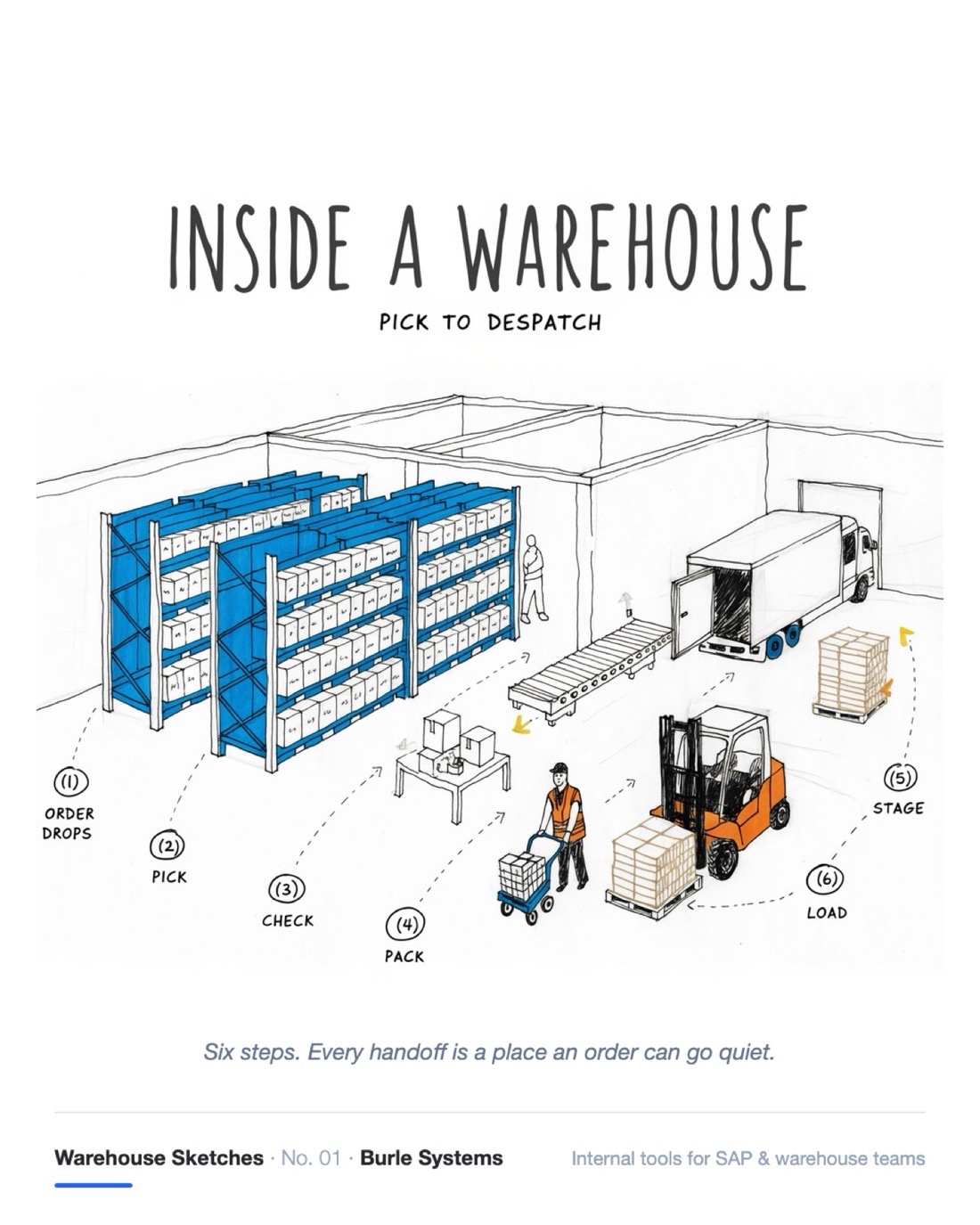
SAP knows the bill of materials. It does not know that Andy is half way through building kit 4471, that it's short two copper busbars, and that his shift ends in twenty minutes.
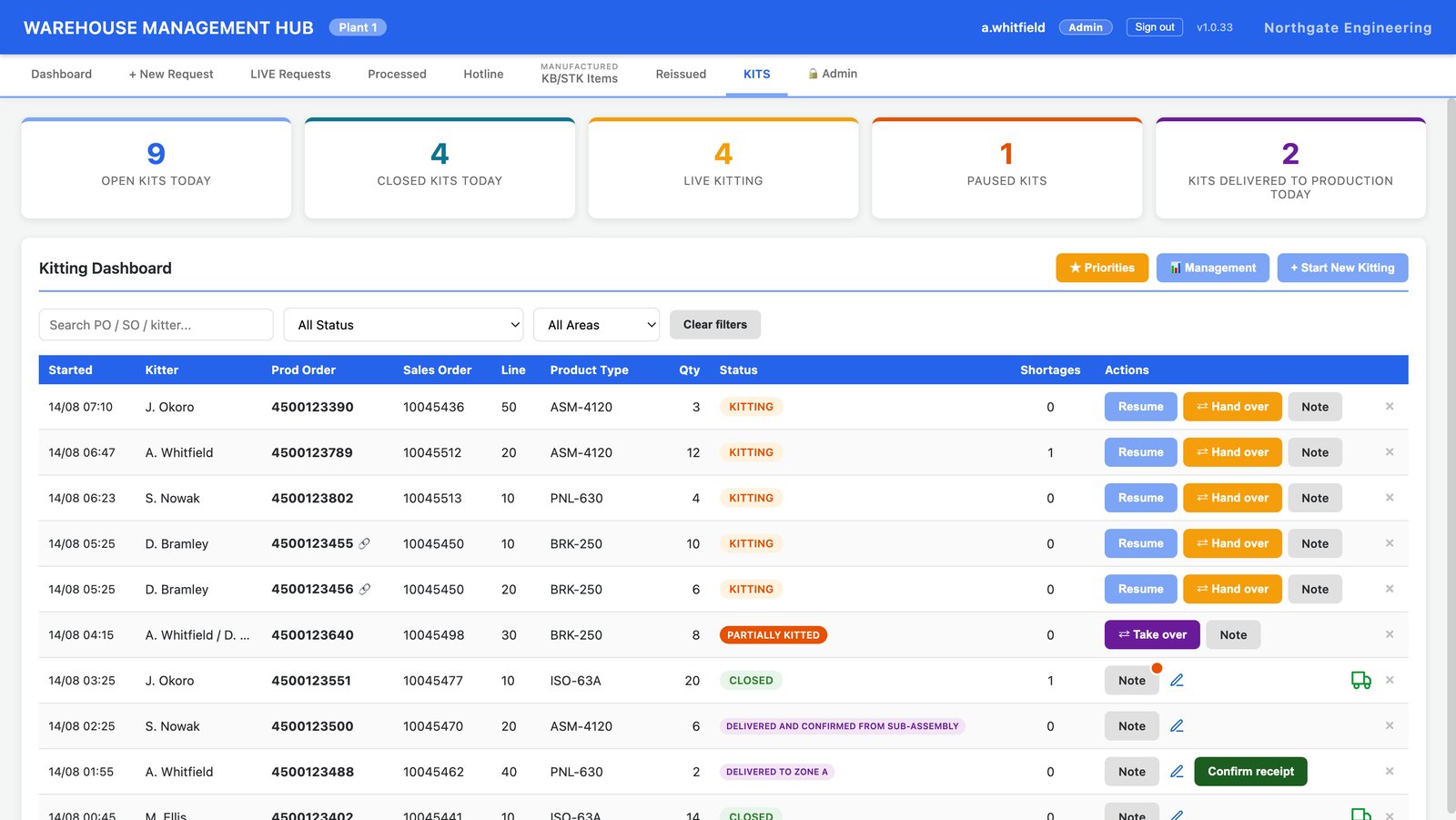
We track the kit as a physical thing: who is building it, how far they have got, what is missing, and who picks it up at handover. Two orders from the same sales order can be kitted together as one physical kit with one label and one shortage note. When a kit is delivered to the line, the line confirms it.
Two versions of the same question. Where is the tugger train, and why has it stopped? And where is the kit that paint finished on Tuesday?
Trains are followed by printed signs and a tablet camera, kits and stillages by a small battery tag heard by receivers on the wall. Both draw on the plant's own floor plan, both run on your own machines, and neither needs anyone to remember to scan anything.
Log a line-stop in thirty seconds. One live record everyone can see, instead of four people hunting the same pallet without knowing the other three are looking.
Daily counts on a phone. Variances flagged the same day, while the cause can still be found, rather than discovered at year end when the trail has gone cold.
Delivery slots and GRN status in one place. No surprise wagons at the gate at four o'clock on a Friday, and no stock sitting unreceipted where the system can't see it.
Find the broken records before they break your go-live rather than after: missing units of measure, duplicate materials, orphaned batches.
Not on the list? It's usually still the same job: a process that lives in somebody's head needs to live somewhere the whole team can see it.
How we work
Agreed before anything starts. You know the number on day one, and it doesn't move because the work turned out to be harder than we thought. That's our risk, not yours.
Small tools, shipped. You'll have something your team can actually open and use while a traditional project would still be in requirements-gathering.
We fit the way your team already works rather than asking twelve people to change their habits for a piece of software. The tool adapts. Not the warehouse.
No per-user licence, no annual contract, no vendor lock-in. You own the tool and the data it holds, and you can hand it to anyone to maintain.
Case study
The Kitting Management Hub, built for a production line in the UK and shaped by the people who run it: most of what it does now, they asked for. It is not a prototype or a mock-up. The screen below is the real application, shown with sample data.
Evidence
None of this is a concept. The Kitting Management Hub was built at a manufacturing site where a missing part stops the line, and where the first fifteen minutes of every shortage were being lost to walking the floor and messaging people who didn't have the answer.
Type a production order and it fills itself in from the SAP export: sales order, line, product type, quantity. The kitter works the kit, adds shortages as they hit them, and hands over mid-build if the shift ends first. The line confirms the kit when it arrives.
Free tool
Set your company and fields once, then every label is one field and one click. Four A4 layouts, colour coding by area, and nothing you type leaves your machine. Free, and it stays free.
Open the label generator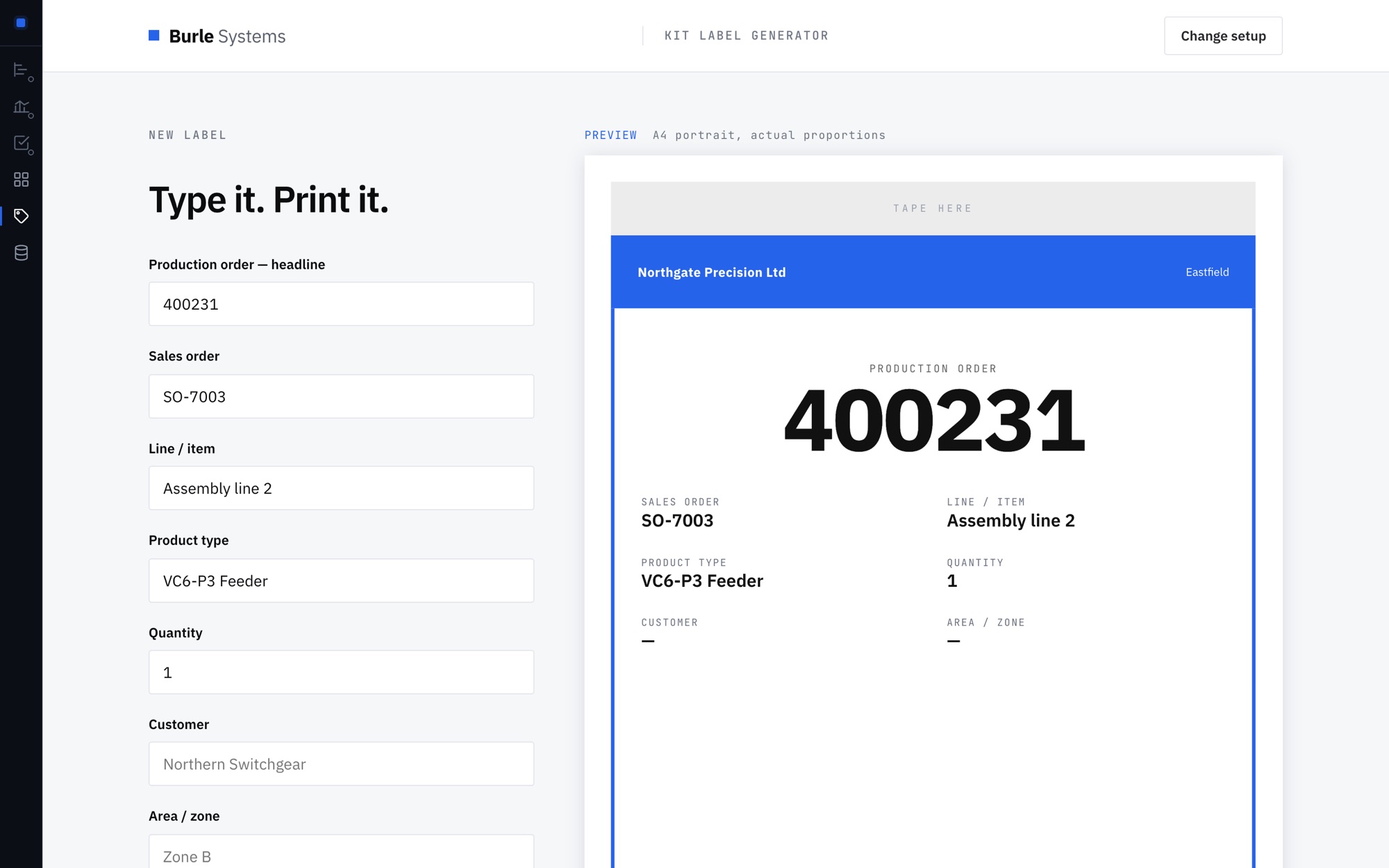
Get in touch
No pitch deck and no discovery phase. Describe the job that keeps landing in a spreadsheet, and we'll tell you honestly whether it's worth building and what it would cost.
rodrigo@burlesystems.co.ukWorking with small and mid-sized manufacturers across the UK.