Paid product · Windows · Audits on a phone
5S that is still running
a year later.
Most 5S programmes do not fail at the audit. They fail around it. Sort never quite finishes, nobody writes down what done looks like, the standard on the wall is a photo from years ago, and the weekly audit scores four out of five until the week it stops happening.
The 5S Programme is built around those failures. It takes a site from nothing to a programme that holds, with the training record kept alongside it and safety as the sixth S, and it tells you from the evidence which zones have quietly slipped.
The phases
Gates that need evidence
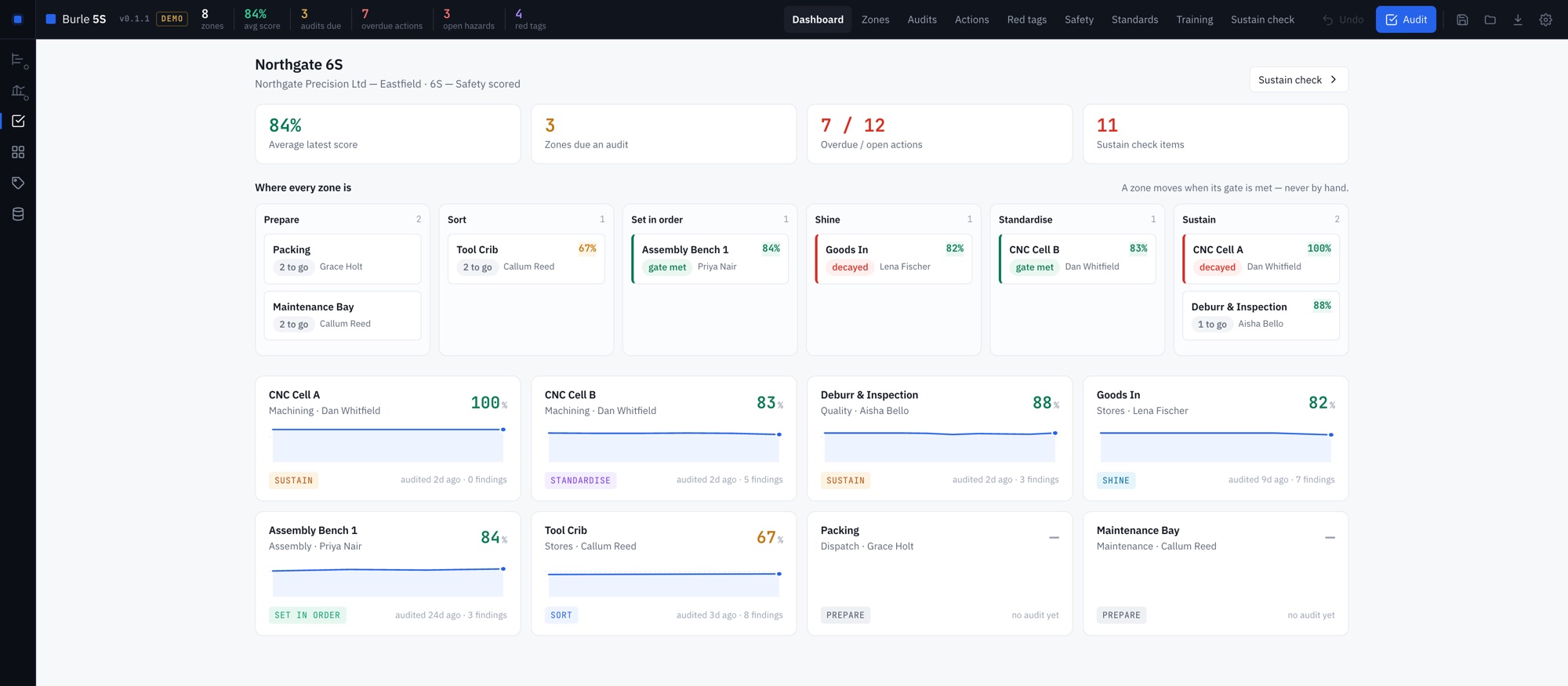
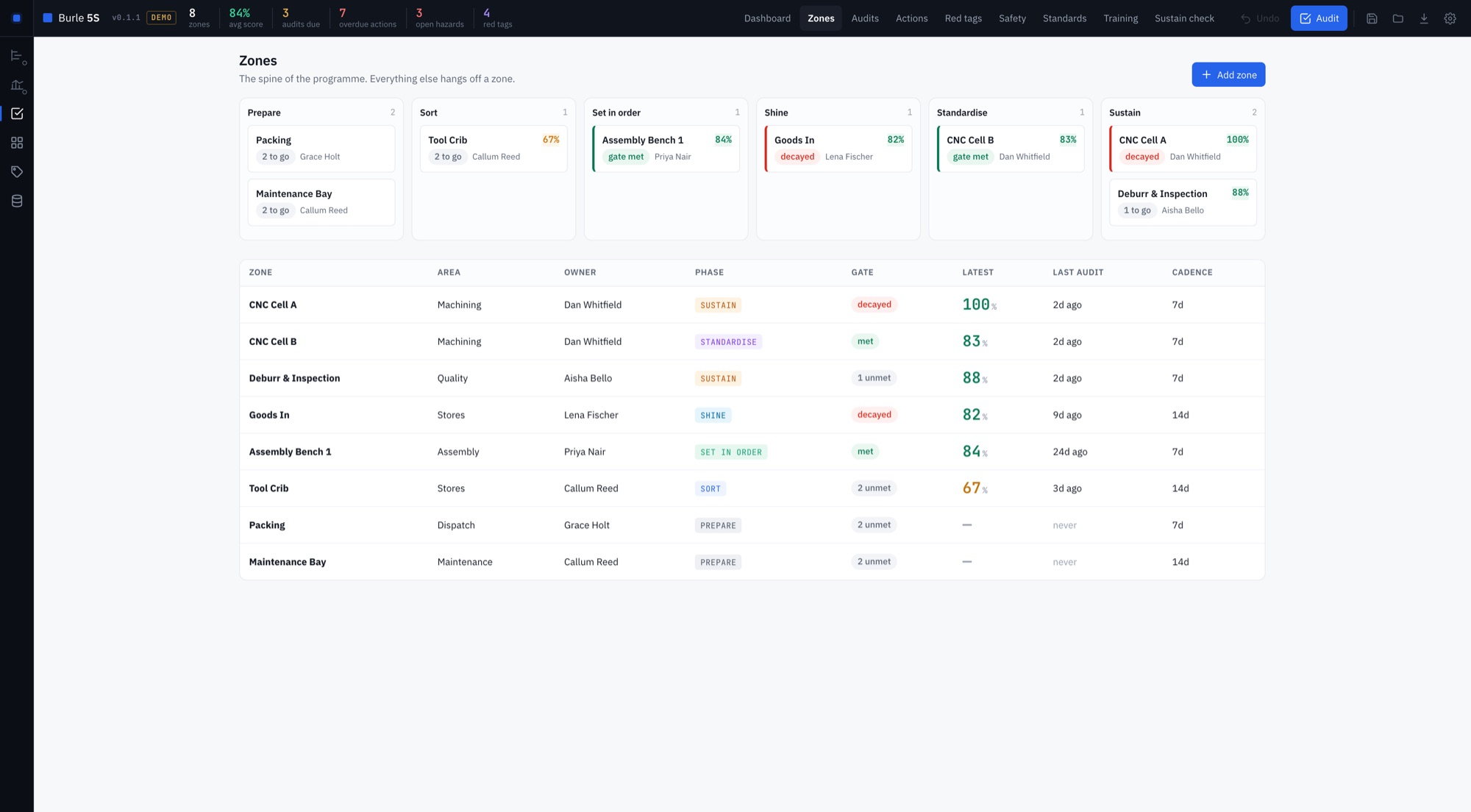
Every zone moves through Prepare, Sort, Set in order, Shine, Standardise and Sustain. There is no button that advances a phase. Each gate is worked out from what is on record, and when one is not met the tool says which piece is missing.
- Sort has a deadline. Every red tag carries a decision date, and Sort will not close while a tagged item is past it.
- Done is written down. A zone cannot leave Set in order without a standard, with a photo, on file.
- Standards age. Each has an owner and a review date. When one goes stale the zone's gate shows as decayed, so the board cannot claim a phase the floor has lost.
What is really happening
The Sustain check
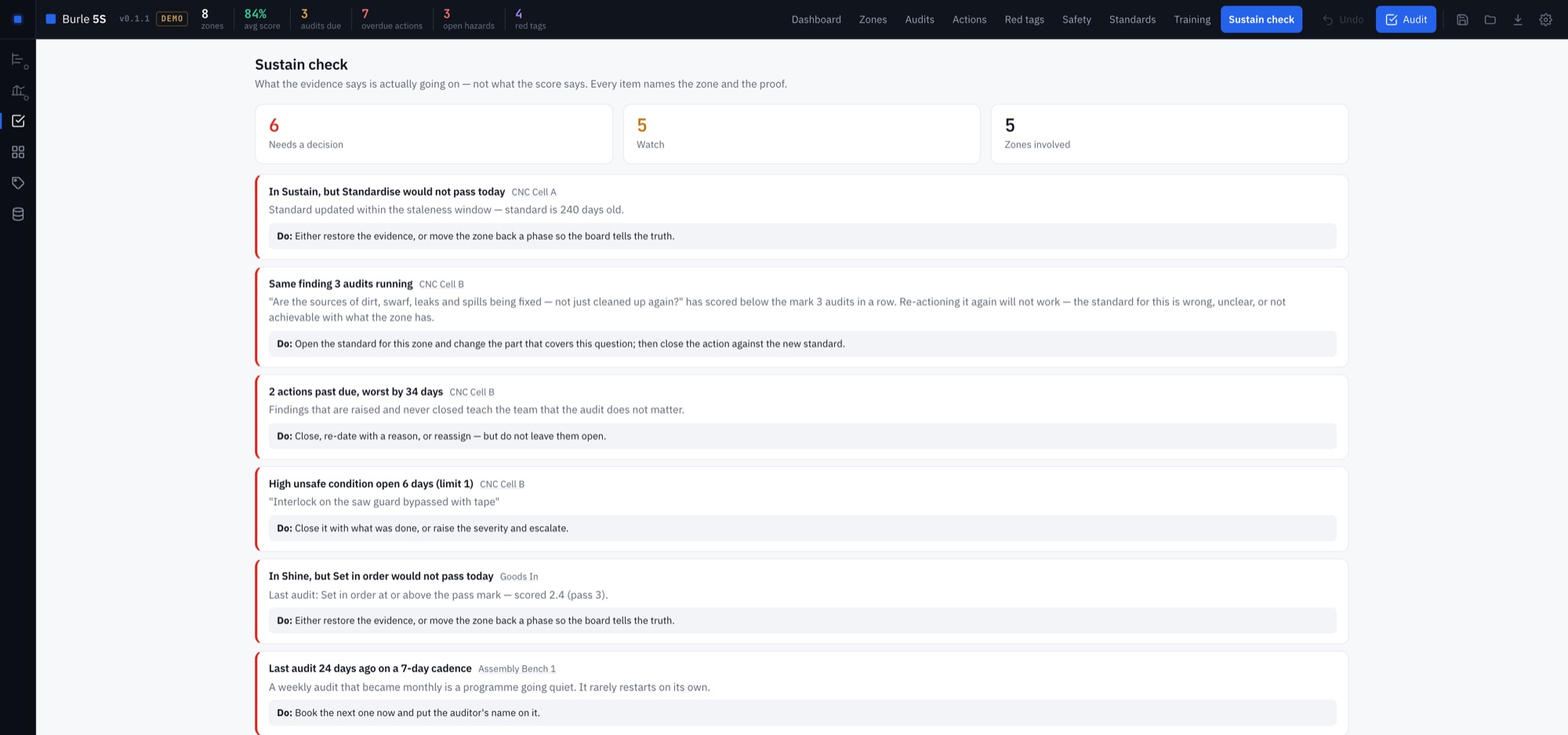
A score tells you how the last audit went. The Sustain check reads everything on record and tells you what is actually going on, naming the zone and the evidence each time.
- Rubber-stamp audits. The score is flat and high and nobody has raised a finding in weeks. A zone with nothing to improve is usually a zone nobody looked at.
- The same finding, again. A question failed three audits running is reported as a problem with the standard, not with the operator.
- A phase the zone no longer earns. Zones sitting in a phase whose gate would not pass today.
- Things left open. Audits slipping past their cadence, actions past their due date, and hazards open longer than their severity allows.
- A rising score over rotting actions. The sign of a programme managed on the number rather than on the floor.
On the floor
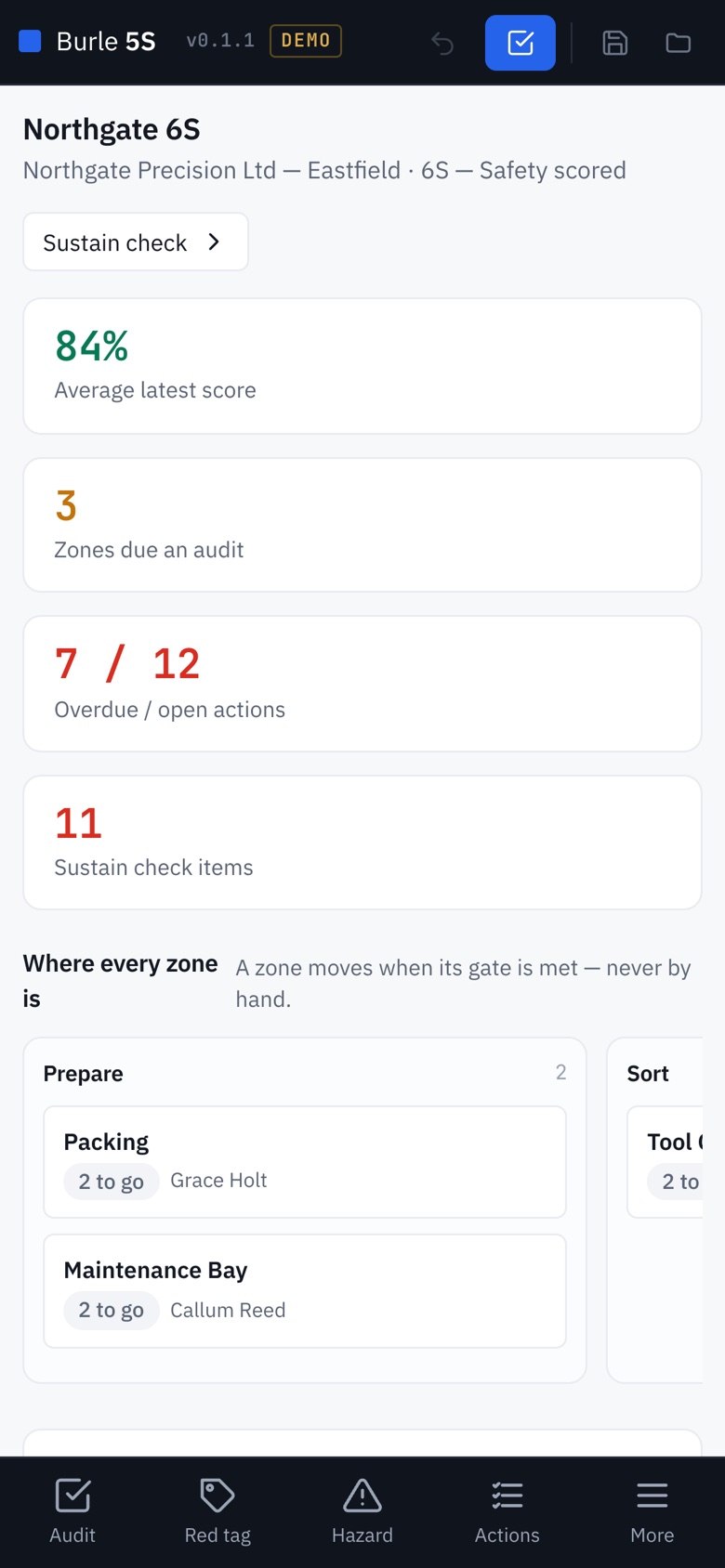
Audits on a phone
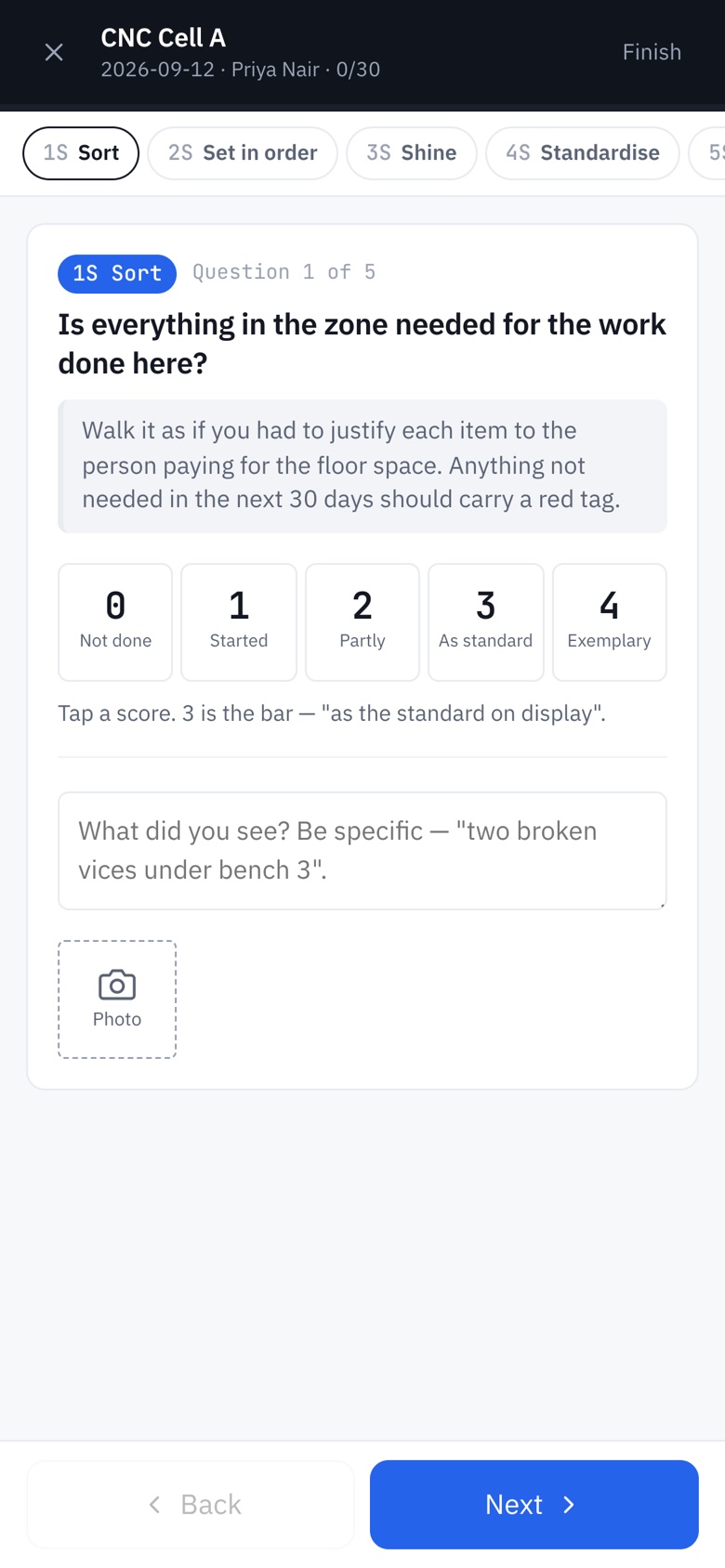
The auditor walks the zone with a phone or tablet, one question at a time, scored from 0 to 4 and written in plain shop-floor language. Anything below the pass mark needs a note or a photo before the audit can be submitted, and the auditor signs it.
The finished audit comes back to the desk as a single file. Importing it merges the findings, photos and actions into the programme, and importing the same file twice changes nothing.
Everything else a programme needs
- Red tags with a decision date and a recorded outcome.
- Actions raised from findings, each with an owner and a due date.
- A hazard log, with a response time set for each severity.
- Standards with a photo, an owner and a review date.
- Training records with levels and refresh dates, so training is more than one induction slide.
What IT usually asks
No. The Windows app is a single file. Copy it to a folder or a network drive and run it: no installer, no admin rights, nothing written to the registry.
Into a file you choose, on a drive you choose. The Windows app makes no network requests, and there is no account, no licence check and no telemetry.
As a file. The phone exports one file per audit and the coordinator imports it, so there is no server to host and no shared database to secure.
How it is sold
This is a paid product, fitted to your site: your zones and areas, your audit questions, your pass mark and your audit cadence. It is a fixed price agreed before any work starts, and the tool is yours to keep and to run offline, with no per-seat licence and nothing that expires.
If you want to see it first, ask and I will walk you through it on a call with a demo programme. The free tools are the same engineering if you want to judge the work before talking to anyone.
Get in touch
Tell me where your 5S
programme stalled.
Whether it never got past Sort or quietly stopped a few months after the launch, describe what happened and I will tell you honestly whether this would have held it.
rodrigo@burlesystems.co.uk